AI Integration · Automation
Agentic AI in 2026: Why Workflow Orchestration Is the Real Game Changer
Forget simple chatbots. Agentic AI is rewriting how businesses operate by orchestrating entire workflows end-to-end. Here's what's actually happening, why it matters, and how to get started.

Anurag Verma
8 min read

I’ve been building software for years, and I’ll be honest — I was skeptical about agentic AI at first. It sounded like another buzzword. But after spending the last few months working with agent-based systems in real projects, I’ve changed my mind completely.
2026 is the year AI stopped being a fancy autocomplete and started becoming a coworker.
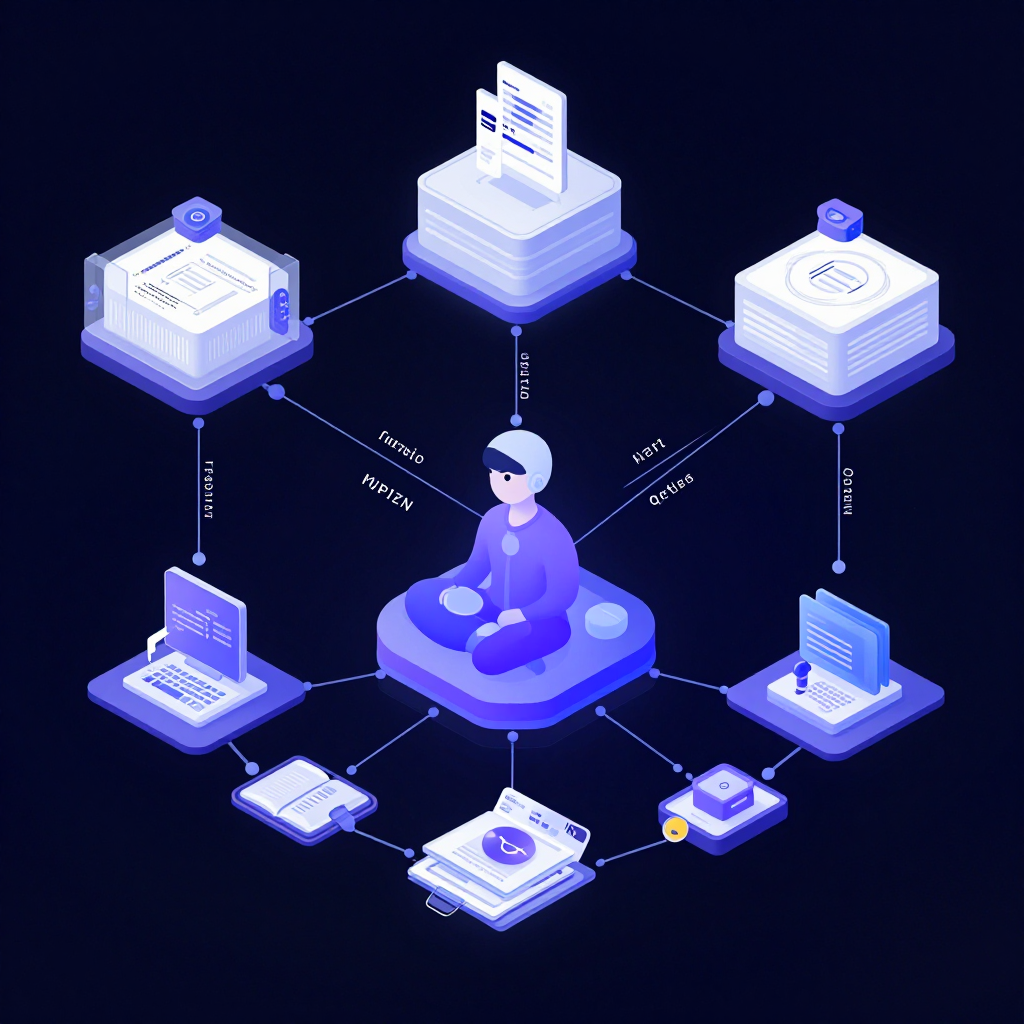 AI agents are moving beyond chat into real workflow orchestration
What Is Agentic AI, Really?
Let me cut through the marketing fluff. Agentic AI is simply this: AI systems that can plan, decide, and execute multi-step tasks on their own — with minimal human babysitting.
Think about the difference:
| Traditional AI | Agentic AI |
|---|---|
| You ask a question, it answers | You describe a goal, it figures out the steps |
| Single input → single output | Loops, retries, and adapts on the fly |
| Needs precise prompts | Handles ambiguity and asks for clarification |
| Stateless | Remembers context across steps |
| Works alone | Coordinates with other agents and tools |
The shift is subtle but massive. Instead of you being the orchestrator — copy-pasting between tools, checking outputs, deciding what to do next — the AI handles that loop.
Why This Matters Now
Three things converged to make agentic AI practical in 2026:
1. Models Got Good Enough at Planning
Earlier models would hallucinate steps or lose track of goals halfway through. The latest models from Anthropic, OpenAI, and Google can reliably decompose complex tasks into ordered steps and actually follow through.
I tested this myself: I gave Claude a task to “research competitor pricing, compile a comparison table, and draft an email summarizing findings.” It nailed all three steps without me touching anything between them. A year ago, that would’ve fallen apart at step two.
2. Tool Use Became Reliable
Agents are only as useful as the tools they can access. In 2026, the ecosystem of AI-callable tools exploded:
- APIs that agents can call directly
- Browser automation for web research
- Database queries for pulling live data
- File systems for reading and writing documents
- Communication tools for sending emails, Slack messages, etc.
The Model Context Protocol (MCP) standardized how AI connects to external tools, which was a huge unlock. Before MCP, every integration was custom plumbing.
3. Enterprises Got Desperate for Automation
Let’s be real — labor costs are up, teams are stretched thin, and there’s a mountain of repetitive work that nobody wants to do. Agentic AI isn’t replacing people; it’s handling the stuff that was grinding teams down.
Real-World Use Cases I’ve Actually Seen Work
I’m not going to list hypothetical scenarios. Here’s what I’ve personally seen deployed or built:
Customer Support Escalation
An agent monitors incoming tickets, classifies urgency, pulls relevant customer history, drafts a response, and either sends it directly (for routine issues) or flags it for human review (for complex ones). The result? 70% of tickets handled without human intervention, and the ones that do reach humans come with full context already attached.
Code Review Pipelines
An agent runs when a PR is opened. It reads the diff, checks for common issues, runs the test suite, compares against the team’s style guide, and posts a review with specific line-by-line feedback. It doesn’t replace human reviewers — it does the first pass so humans can focus on architecture and logic.
Sales Research
A sales rep types a company name. The agent researches the company, finds recent news, identifies decision-makers on LinkedIn, checks CRM for any prior interactions, and generates a personalized outreach draft. What used to take 45 minutes per prospect now takes under 2.
Data Pipeline Monitoring
An agent watches ETL pipelines. When something breaks, it diagnoses the failure, checks if it’s a known issue, attempts a fix, and if it can’t resolve it, creates a detailed incident report with everything the on-call engineer needs. This cut mean-time-to-resolution by 60%.
How to Build an Agentic System
If you’re ready to get your hands dirty, here’s the practical architecture I’d recommend:
The Core Loop
Every agent follows the same basic pattern:
1. Receive a goal
2. Plan the steps
3. Execute the first step
4. Observe the result
5. Decide: continue, adjust, or escalate
6. Repeat until done
Architecture That Actually Works
┌─────────────────────────────────────────┐
│              Orchestrator               │
│  (Receives goals, manages agent pool)   │
├────────┬──────────┬────────────────────┤
│ Agent  │  Agent   │     Agent          │
│Research│ Analysis │   Communication    │
├────────┴──────────┴────────────────────┤
│            Shared Memory               │
│   (Context, state, intermediate data)  │
├────────────────────────────────────────┤
│           Tool Layer (MCP)             │
│  APIs │ Databases │ Files │ Web │ Mail │
└────────────────────────────────────────┘
The key insight: don’t build one mega-agent. Build specialized agents that coordinate. A research agent is great at gathering information. An analysis agent is great at crunching numbers. A communication agent is great at drafting messages. Let each do what it’s best at.
Practical Tips from the Trenches
Start with a single, well-defined workflow. Don’t try to automate everything at once. Pick one repetitive process, map it out step by step, and build an agent for that.
Always have a human fallback. No agent should operate in a fully autonomous loop for high-stakes decisions. Build in checkpoints where a human can review and approve.
Log everything. When an agent makes a decision, log why. When it calls a tool, log the input and output. You’ll need this for debugging, and your team will need it for trust.
Test with real data, not toy examples. Agents that work perfectly on clean sample data often struggle with the messy reality of production data. Test early with real inputs.
Set guardrails, not just goals. Tell the agent what it should NOT do, not just what it should do. “Never send an email without human approval” is just as important as “draft outreach emails.”
The Pitfalls Nobody Talks About
Cost Can Spiral
Agents make multiple API calls per task. A single workflow might involve 10-20 LLM calls. At enterprise scale, that adds up fast. Budget for it, monitor it, and use tiered models — small models for simple steps, large models only when needed.
Latency Adds Up
Each step in an agent workflow takes time. A 5-step workflow where each step takes 2 seconds means 10+ seconds of total latency. For user-facing applications, this matters. Design workflows with latency budgets in mind.
Debugging Is Hard
When a 7-step workflow produces the wrong output, figuring out which step went wrong isn’t straightforward. Good logging and observability tools are essential, not optional.
Trust Takes Time
Your team won’t trust an AI agent overnight. Start with low-stakes workflows, prove reliability, and gradually expand. Forcing adoption too fast creates resistance.
What’s Coming Next
I think we’re still in the early days. Here’s what I expect over the rest of 2026:
- Multi-agent collaboration becomes the norm — agents handing off tasks to each other seamlessly
- Persistent agents that run continuously in the background, not just on-demand
- Agent marketplaces where you can plug in pre-built agents for common workflows
- Better memory systems so agents learn from past interactions and get better over time
The companies that figure out agentic AI first will have a serious competitive advantage. Not because the technology is magic, but because it lets small teams operate like much larger ones.
Getting Started Today
If you’re a developer or tech leader, here’s what I’d do this week:
- Identify one workflow in your organization that’s repetitive, multi-step, and currently done manually
- Map out the steps — what tools are involved, what decisions are made, what data flows between steps
- Build a prototype using Claude’s tool use or OpenAI’s function calling
- Run it in shadow mode — let it process real tasks, but have humans verify outputs before they go anywhere
- Iterate — the first version won’t be perfect, and that’s fine
The barrier to entry is lower than you think. You don’t need a massive infrastructure overhaul. You need one good use case and a willingness to experiment.
Resources
- AI Agent Trends 2026 Report — Google Cloud
- The Trends That Will Shape AI and Tech in 2026 — IBM
- Anthropic Claude Tool Use Documentation
- Model Context Protocol Specification
Building agentic AI systems or looking for help getting started? Reach out to the CODERCOPS team — we’ve been in the trenches and can help you avoid the common pitfalls.
More from this category
More from AI Integration
 R.01
R.01 Google Workspace Gets a Major AI Boost: Gemini Now Powers Docs, Sheets, Slides & Drive
 R.02
R.02 Agentic AI in 2026: Inside Google's Agent Leap Report and the Rise of Autonomous AI
 R.03
R.03 Best AI Coding Models Compared: The Definitive February 2026 Guide
The dispatch
Working notes from
the studio.
A short letter twice a month — what we shipped, what broke, and the AI tools earning their keep.
Discussion
Join the conversation.
Comments are powered by GitHub Discussions. Sign in with your GitHub account to leave a comment.